 Folio Launcher
Editing your home screen
It starts the way it does on an iPhone: hold an icon until everything wiggles.
Get into edit mode
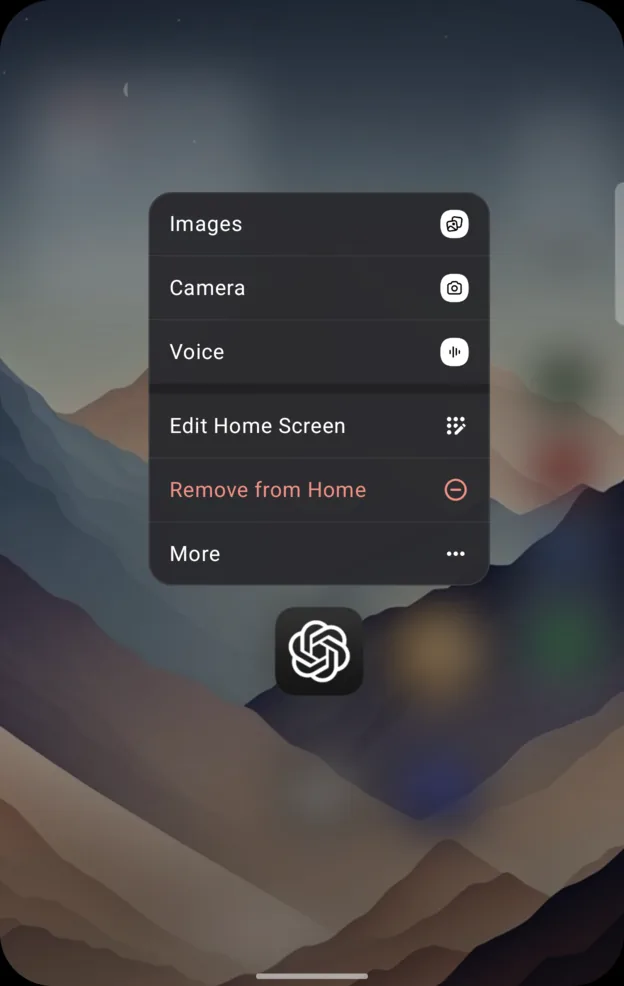
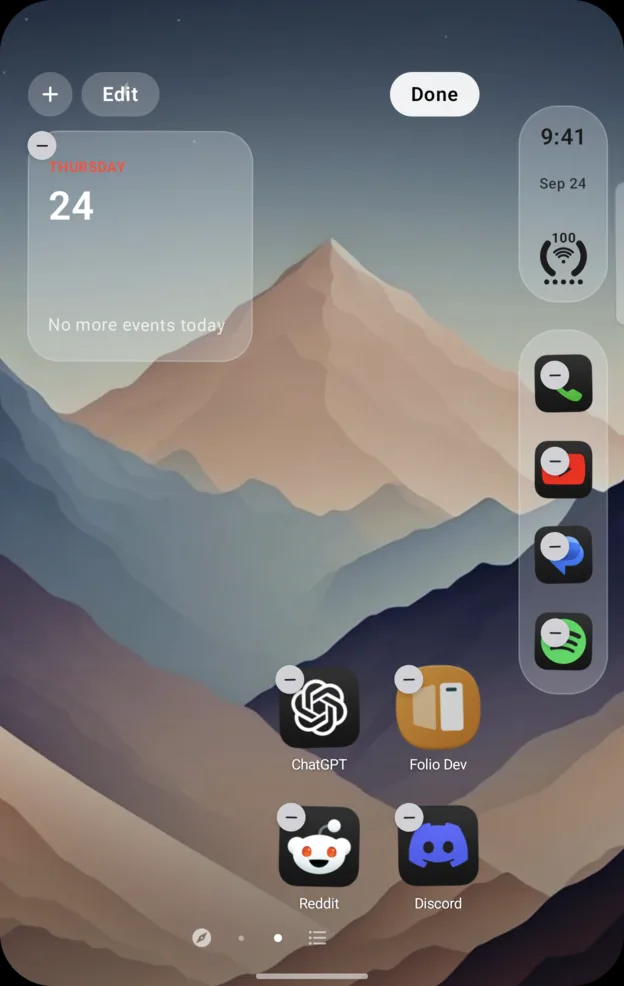
- Long press an app, then tap Edit Home Screen. The icons start to wiggle.
- Drag things where you want them. Tap + to add a widget.
- Tap Done when you have finished.
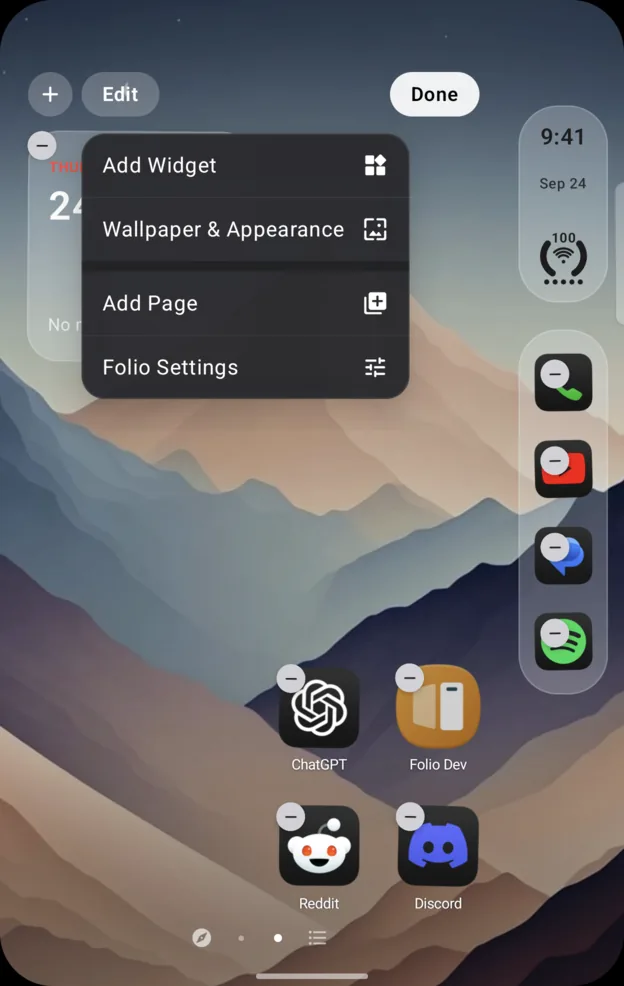
Long pressing an empty spot gets you there faster, and gives you Add Widget,Wallpaper & Appearance, Add Page and Folio Settings at the same time.
Make a folder
- Long press an app, then tap More › Create Folder.
- Under New folder with…, pick the app to put with it.
Once you have a folder, the same item reads Add to Folder and lists your folders first. To add more later, drag an app onto the folder while the icons wiggle, or open the folder and tap Add Apps.
Dropping one app onto another to make a folder, the way an iPhone does, is in the 0.6.9 beta, for supporters for now.
Folders hold what they hold today. Bigger folders, closer to what Good Lock's Home Up allows, are on the list.
Move an app to another page
Drag it to the edge of the screen and hold. The page turns under your finger, and you drop it where you want it. Add Page makes a new one to drop it on.
Icon Stacks
An Icon Stack puts several apps in one slot, after the Apex tweak. Once you have made one, swiping down on that icon fans it out, rather than opening the app on top.
Rename an app
- Long press the app, then More › Rename….
- Type what you want to call it.
The new name shows on Home, in the dock, in folders and in the App Library. Searching still finds the app by its real name as well as the one you gave it, and a Chinese name answers to its pinyin. Clearing the field puts the original name back.
Put Home in iPhone order
Folio Settings › Home Screen & Dock › Arrange Like iPhone… sorts your pages the way an iPhone does. Icon size and whether labels show are per page, in Settings, so one page can be large and plain and the next ordinary.
Two things that are not launcher decisions
An app you installed is missing
Open the App Library and switch to Work if it is a work app. If the work profile is paused, tapTurn on work apps. If your IT admin keeps that off, no launcher can reach those apps.
Editing is locked on some pages
A Focus that hides pages locks editing on them while it is running, so nothing gets lost while you cannot see it. Turn the Focus off, or change which pages it hides, in Folio Settings › Focus.
Written for Folio 0.6.8. If something here is wrong, out of date or missing,open an issue and it gets fixed.